Over the past few years, I’ve been switching back and forth between Windows and Linux for daily use. And there’s one small feature I really love on Windows: Clipboard History with the Win + V shortcut.
This feature might seem simple, but once you get used to it, life feels much easier. Especially when you have to copy multiple texts, terminal commands, URLs, or code snippets repeatedly.
Unfortunately, when I switched to elementary OS, I couldn’t quite find the same experience.
Sure, there are several clipboard managers available on Linux, but most of them felt too complex, too heavy, or didn’t blend well with elementary OS’s design.
So I finally decided to build my own app.
Not a Professional Developer, But Still Can Build an App
Honestly, I’m not a professional software engineer.
Most of my daily activities involve writing articles, managing infrastructure, tinkering with Linux and Windows, and occasionally doing server troubleshooting.
But thanks to the current development of AI, I became curious about how far AI could help someone build a truly usable desktop application.
And the result was this project:
Clipboard History for elementary OS
An open-source application I built using Vala, GTK3, and Granite to make it feel more native to the elementary OS ecosystem.
Simple Functionality, Yet Very Useful
The app concept is actually quite simple.
Every time you copy text, the application automatically saves it to your clipboard history.
So when you need text that you previously copied, you don’t have to search for it from the original source again.
Just open the app, find the text you want, and click to copy it again.
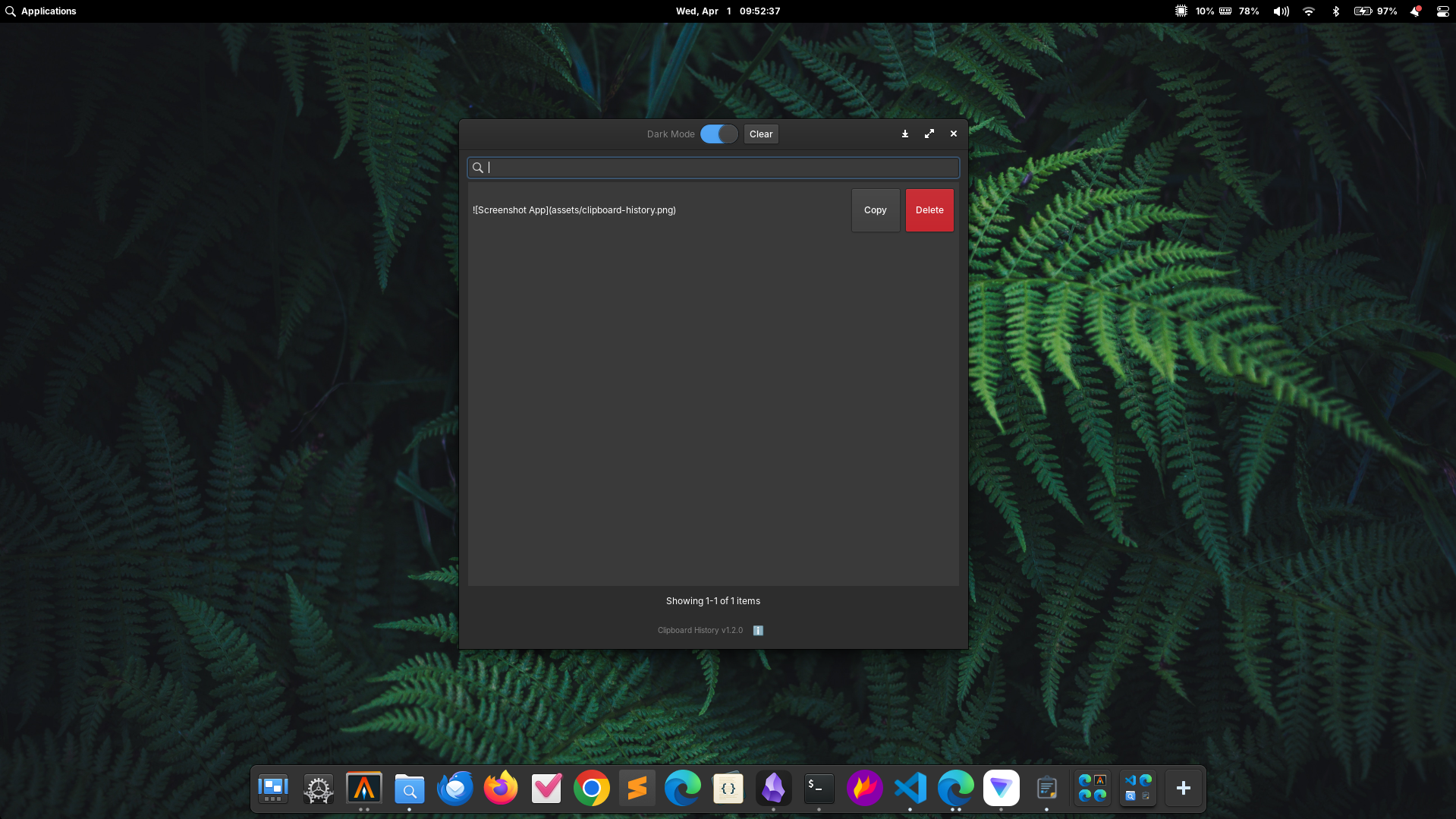
Features Currently Available:
- Automatic clipboard monitoring
- Clipboard history
- Quick search
- One-click recopy
- Delete specific items
- Clear entire history
- Automatic history limit
- Light and simple GTK interface
- Autostart support on login
Why Did I Choose Vala?
This might be an interesting question.
Many people choose Electron, Python, or even Rust for building Linux desktop applications.
But I chose Vala for several simple reasons:
- Excellent GTK integration
- Lightweight
- Native Linux feel
- Fits well with the elementary OS ecosystem
- No need for a large runtime like Electron
Besides that, I also wanted to learn something new while building an app I would actually use every day.
AI Turned Out to Be Very Helpful
One of the most interesting aspects of this project is that most of the development process was assisted by AI.
That doesn’t mean AI did everything automatically, of course.
I still had to understand the code structure, debug, fix bugs, set up the build system, package the .deb, and ensure the app worked as needed.
But AI helped accelerate the learning and experimentation process significantly.
Things that might have taken weeks to learn in the past could now be understood much faster.
Still Many Plans Ahead
Currently, Clipboard History is at version 1.3 and is stable enough for daily use.
But there are still several features I want to add in the future, such as:
- Wingpanel integration
- Popup clipboard similar to
Win + Von Windows - Image support
- SQLite storage
- Global keyboard shortcut
- Favorite (pinned) clipboard items
Open Source and Available for Everyone
Since I built this project as a learning tool and as something I actually use myself, I’ve made the source code publicly available on GitHub.
So anyone can view the source code, provide feedback, or even contribute if they’re interested.
What matters most to me isn’t the number of GitHub stars or downloads, but the fact that as someone who isn’t a professional developer, I managed to build a Linux app that I actually use every single day.
And honestly? That feels pretty great.
Repository : https://github.com/gylangsatria/clipboard-history-elementaryos